Introduction
Streamlining Invoice Correction workflow through AI-Guided UI by 60% acceleration
I redesigned the workflow to remove cognitive friction. With clearer, dynamic sections and strong visual guidance, the manual correction process became faster and more accurate, delivering a validated boost in operational efficiency.
My Role
As a product designer, My key contribution was translating the high-friction workflow into clear user flow, wireframes, and final UI.
Niche
SAAS (Software as a service), B2B
Tmeline
Timeline: Sep-Oct 2024
Problem statement
How might we reduce high cognitive load and friction for Verification Operators so they can work faster and with fewer mistakes.
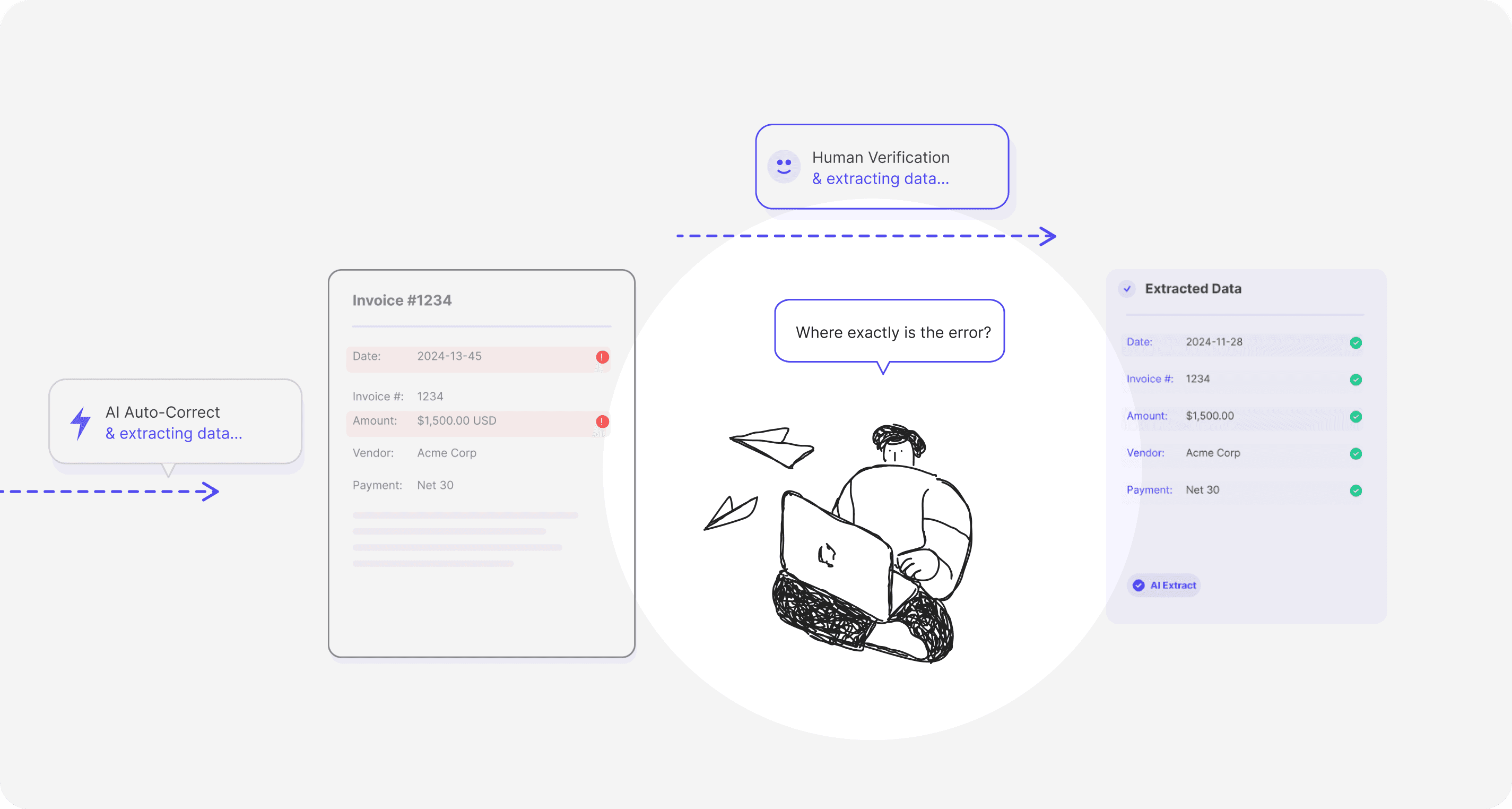
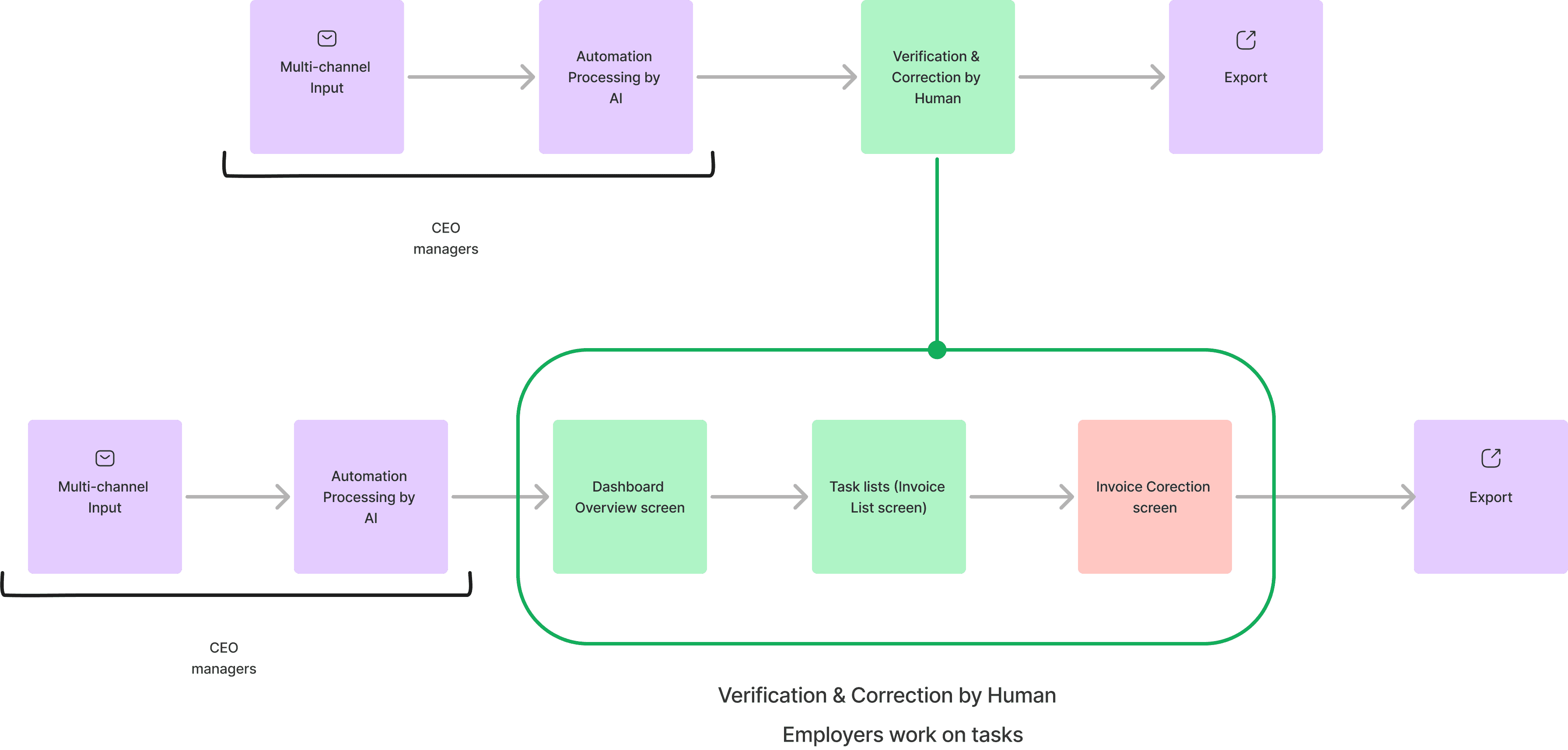
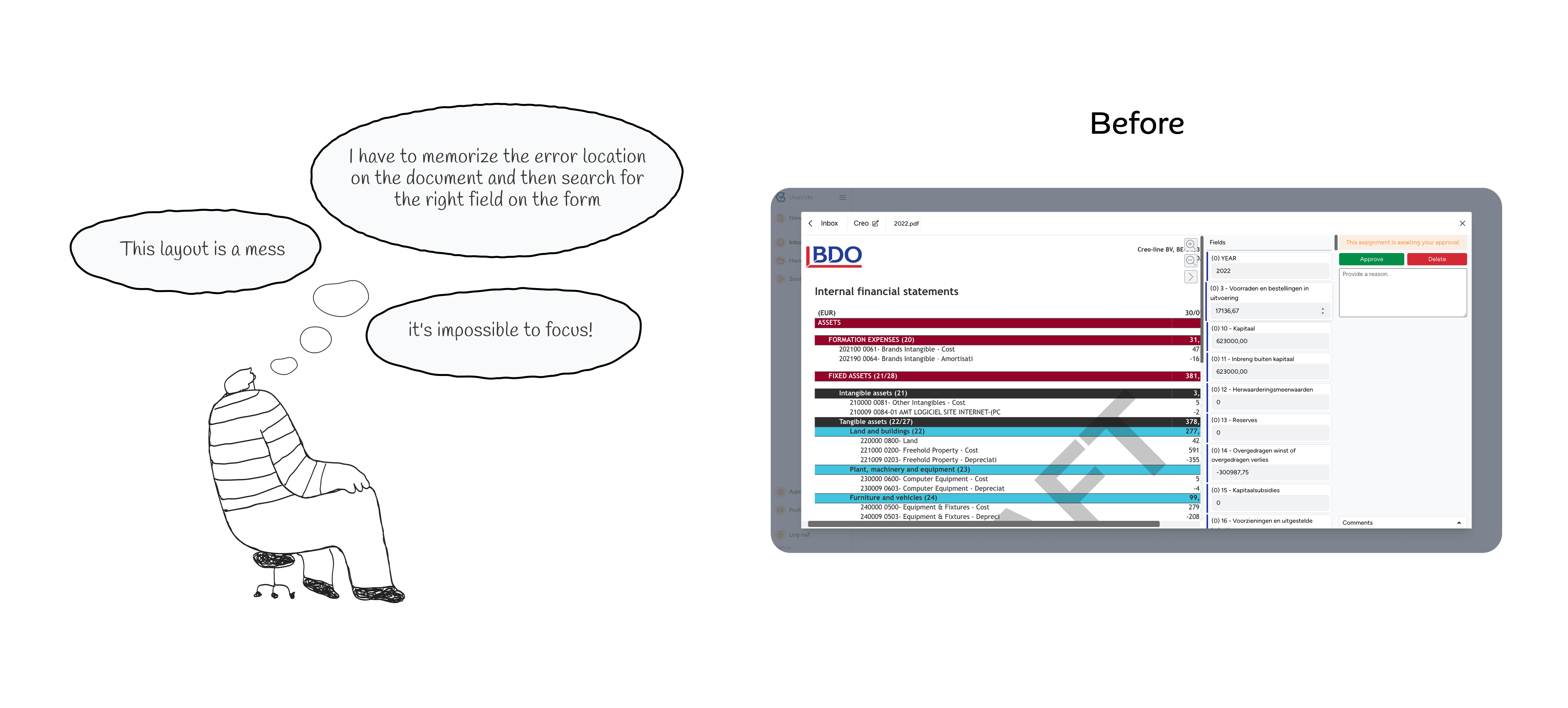
Reviewing AI-extracted invoice data was a slow, frustrating task. Operators constantly jumped between pages to find unmarked fields, causing delays and increasing the risk of errors.
Key Friction Points
Forum discussions consistently showed that users struggled to match information in the document with the fields they needed to correct.
This high cognitive load was the direct cause of burnout and slow correction rates.

Strategic Prioritization
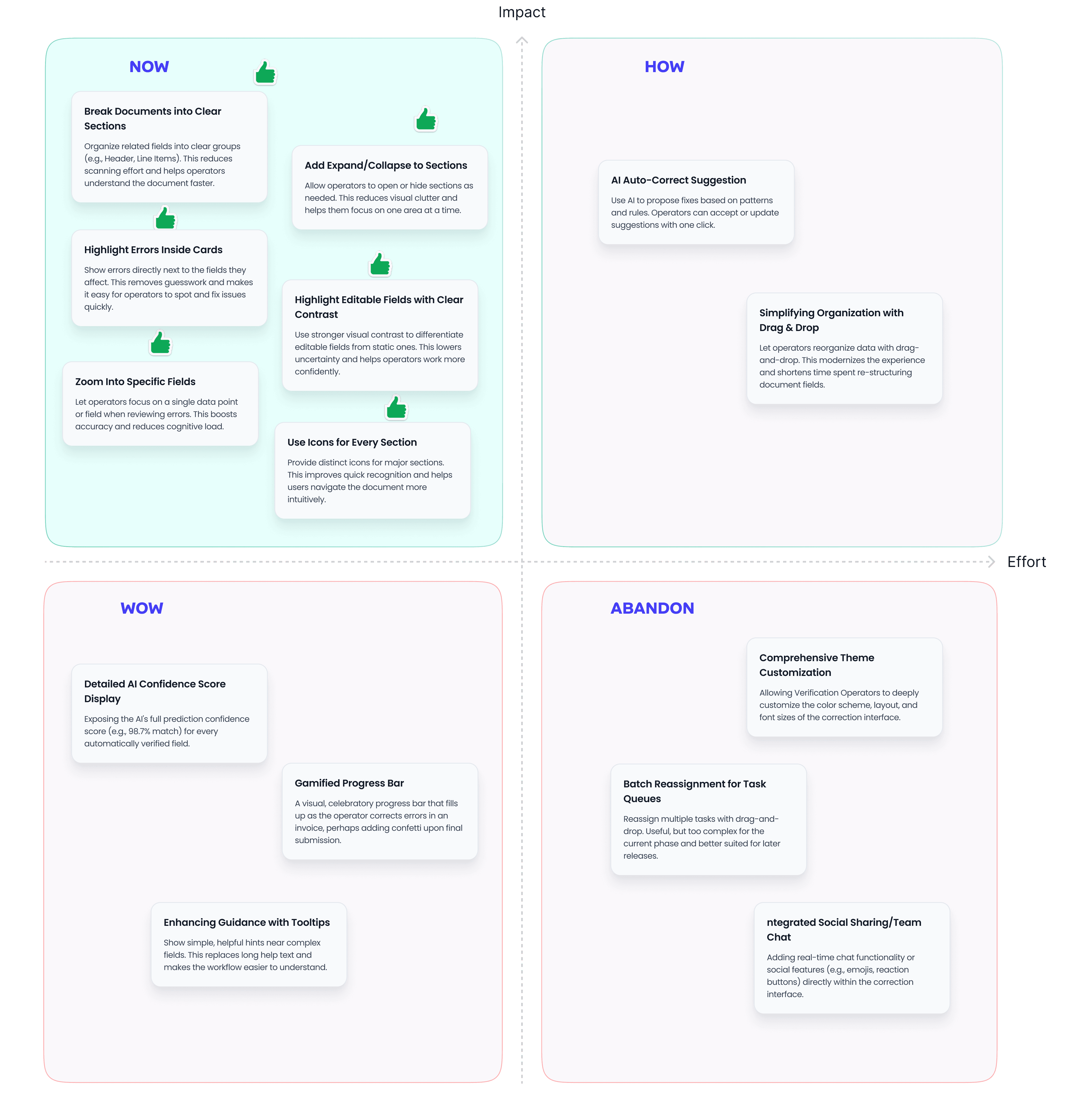
To deliver the MVP efficiently, we prioritized high-impact features that could be built with the resources we had.
With limited time, I introduced this framework to help the PM, developers, and analysts agree on the most efficient feature roadmap, leaving bigger features for a later phase.
Visual Transformation
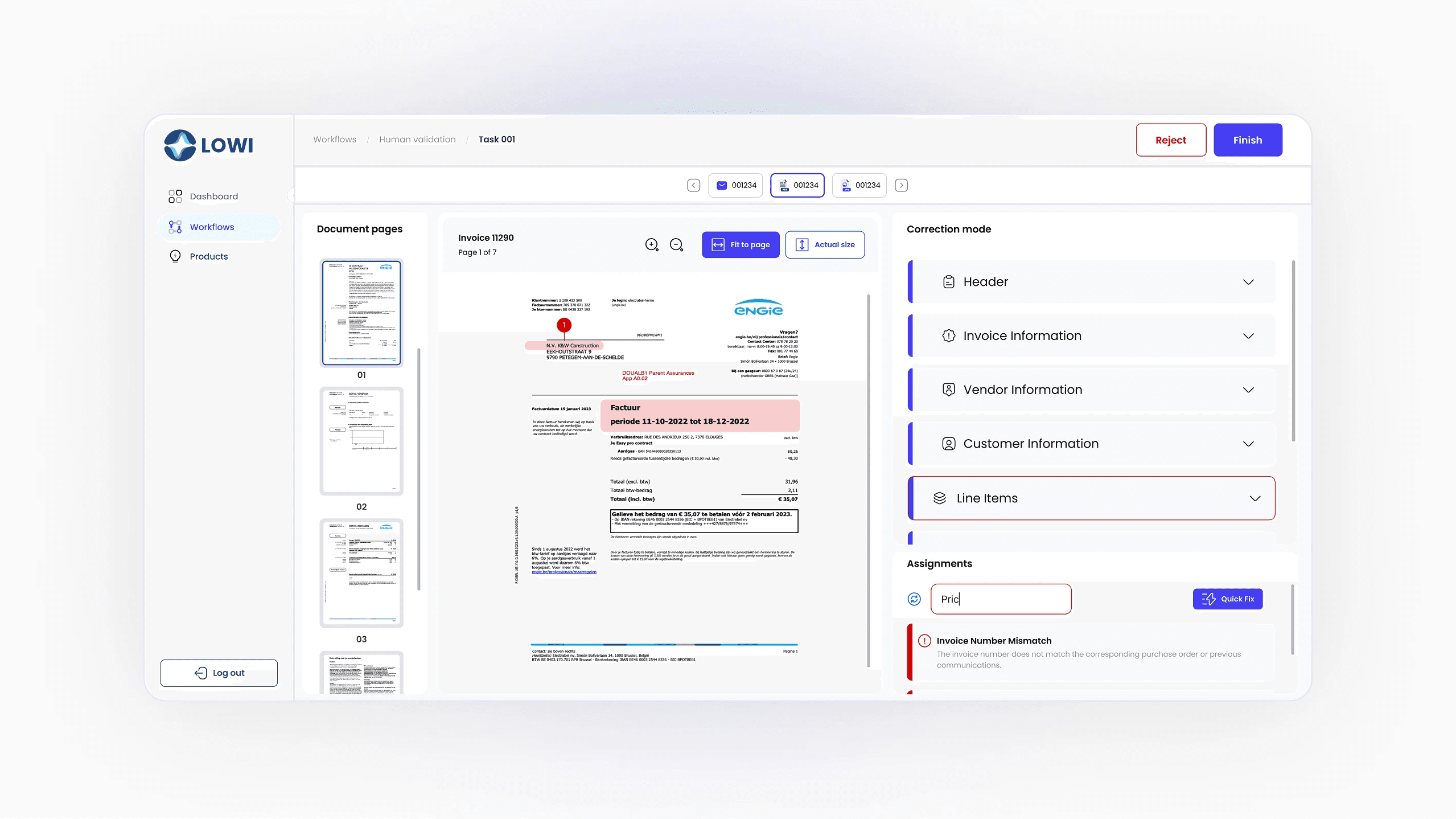
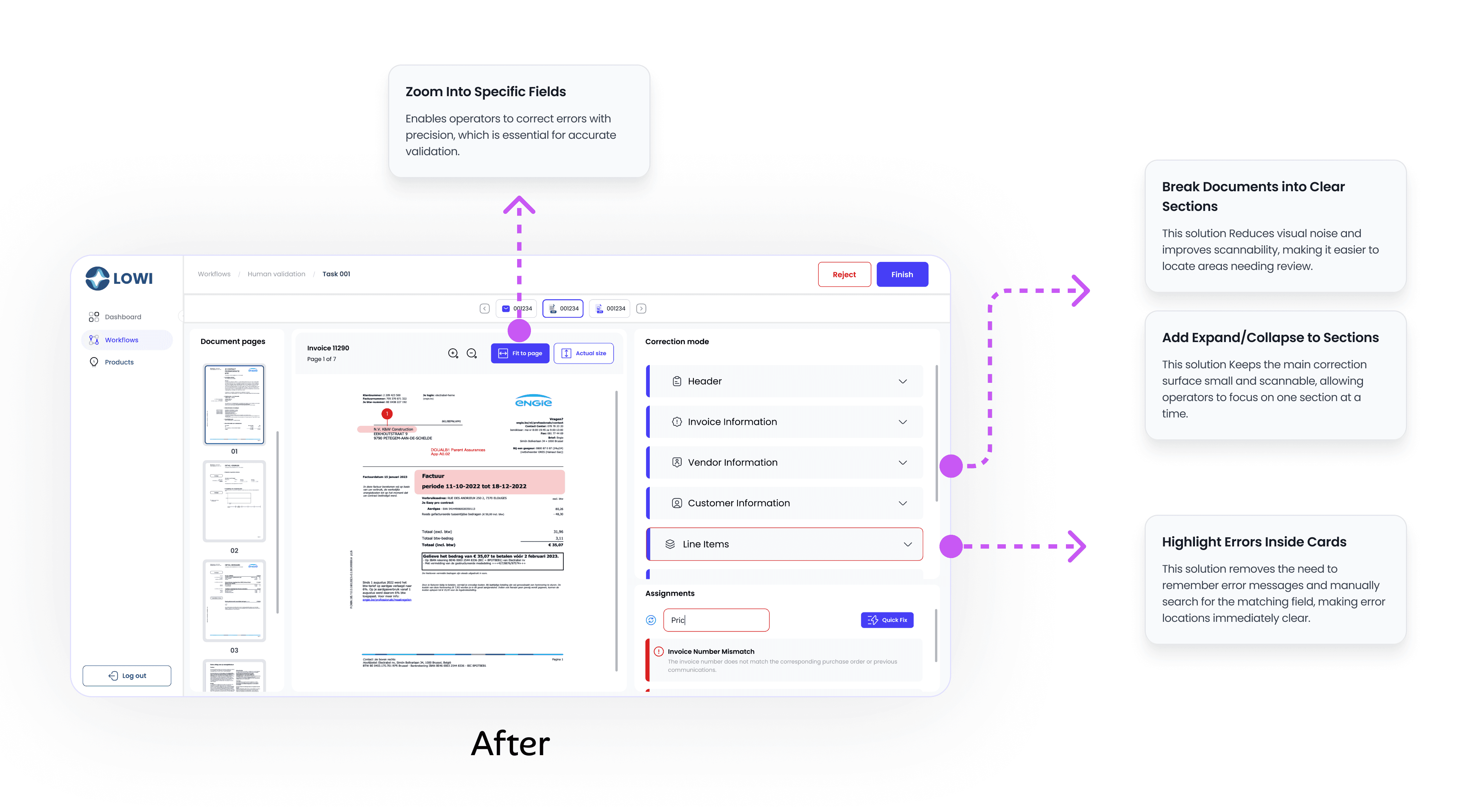
The redesign reduced the friction of the workflow, creating a much clearer and more guided interface.
Solution 1: Eliminating Cognitive Load
By breaking the screen into clear, dynamic sections, operators can focus on one part at a time, making the workflow feel less complex.
I organized the invoice data into collapsible, labeled sections (e.g., Invoice Details, Line Items). This eliminated the need to visually scan the entire document or correction form.
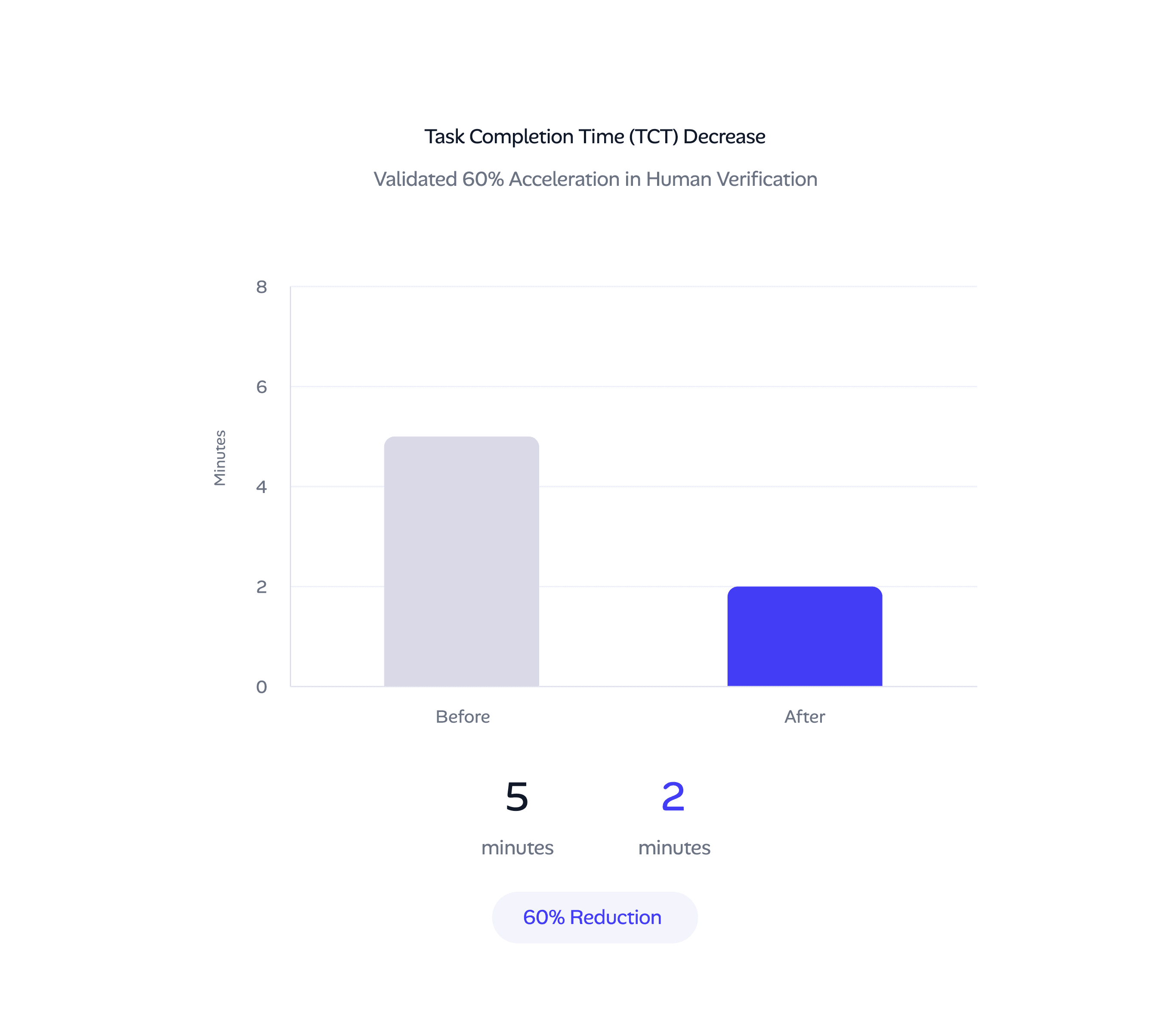
Solution 2: Driving 60% Acceleration
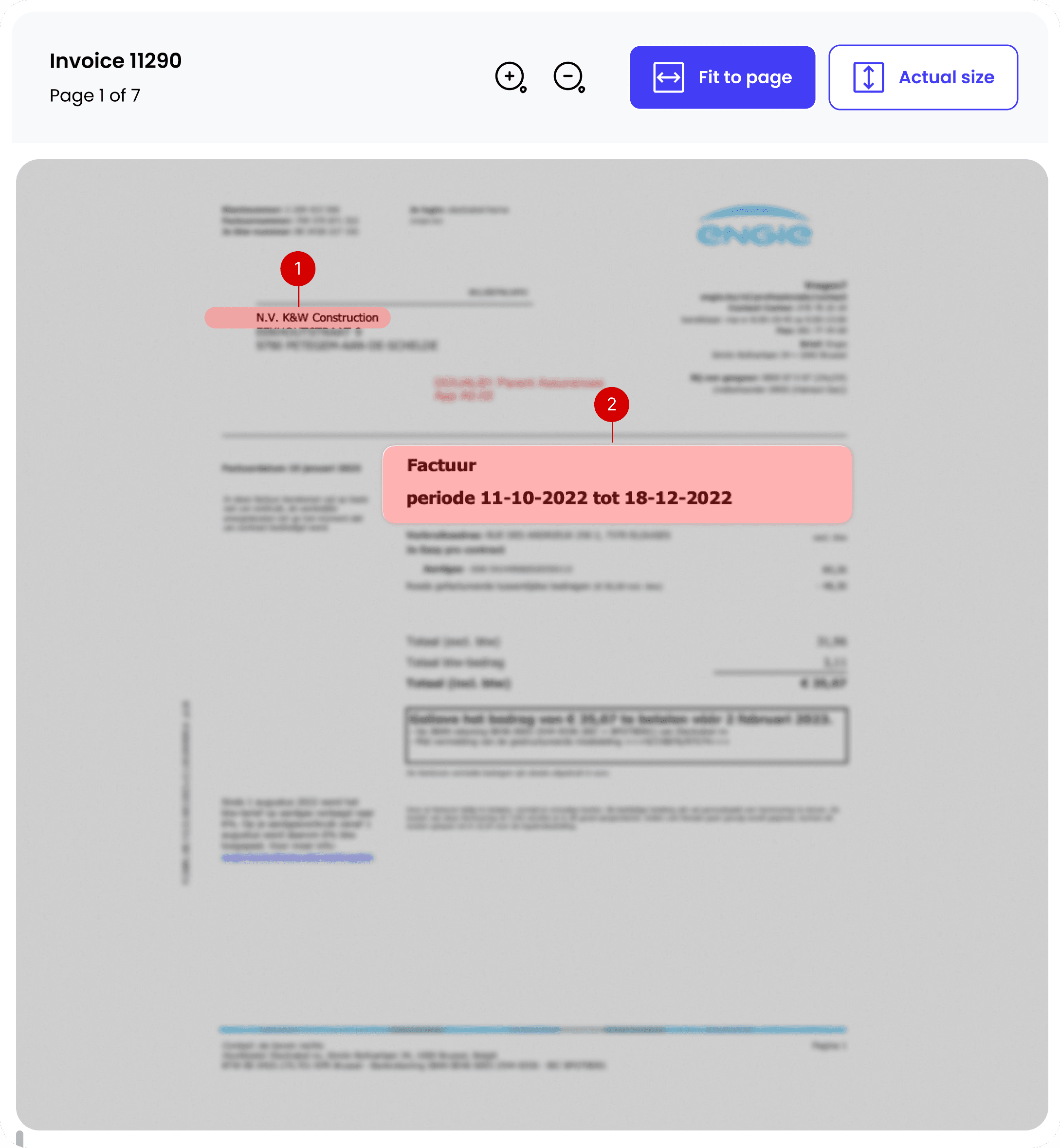
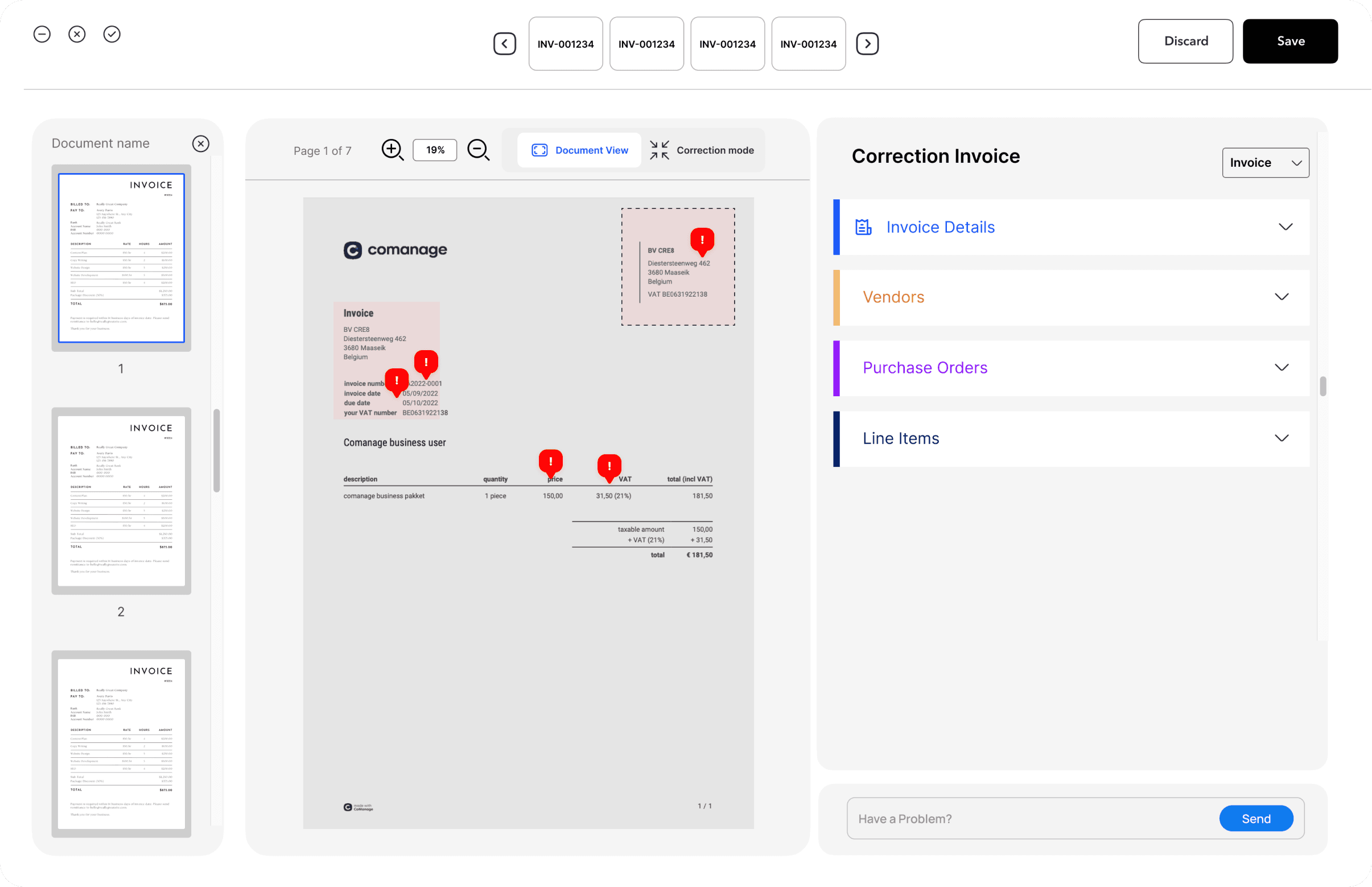
High-contrast error highlighting instantly directs the operator's eye to the exact point of correction.
We used distinct visual cues (high-contrast borders and red flags) on the document preview that mirror the error in the correction field. This eliminated manual 'hunting and searching.
Solution 3: Maximizing Focus and Precision
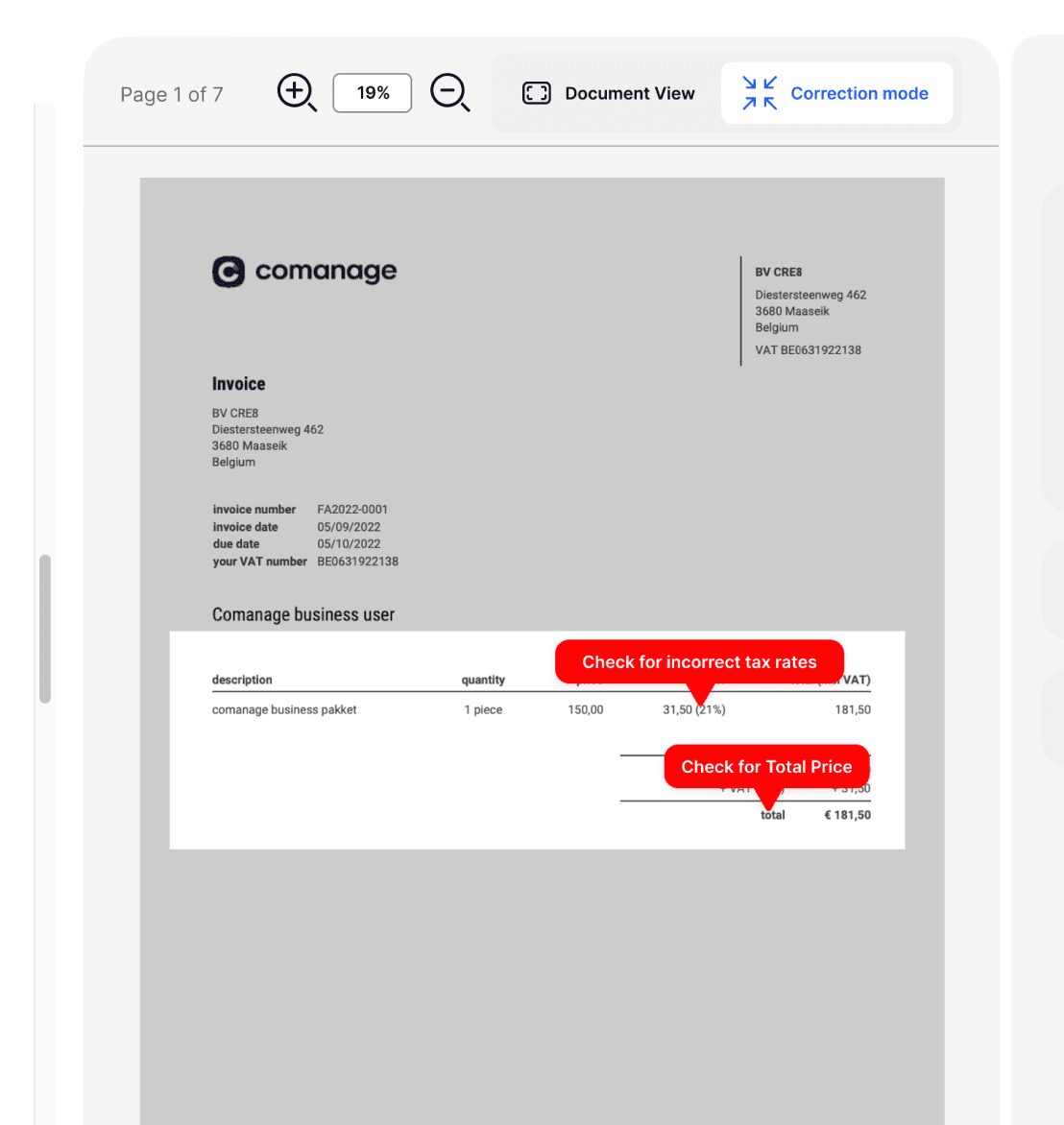
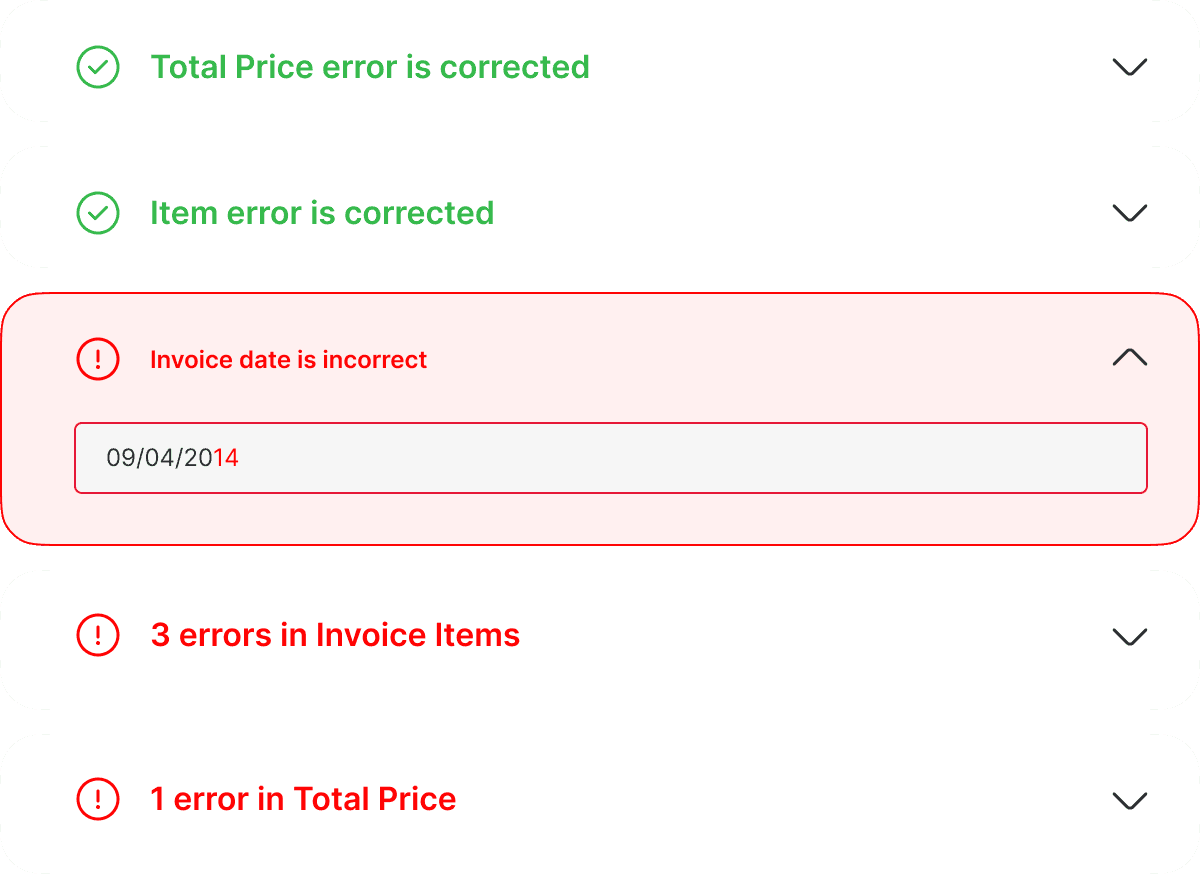
The intentional use of visual contrast and dynamic controls was essential to directing user focus and minimizing manual search time.
I utilized dynamic expansion/collapse to hide non-essential content and used high-contrast highlighting on editable fields and error cards. This ensured the operator's eye was instantly drawn to the next required action, reducing uncertainty.
Solution 4: Focused Review
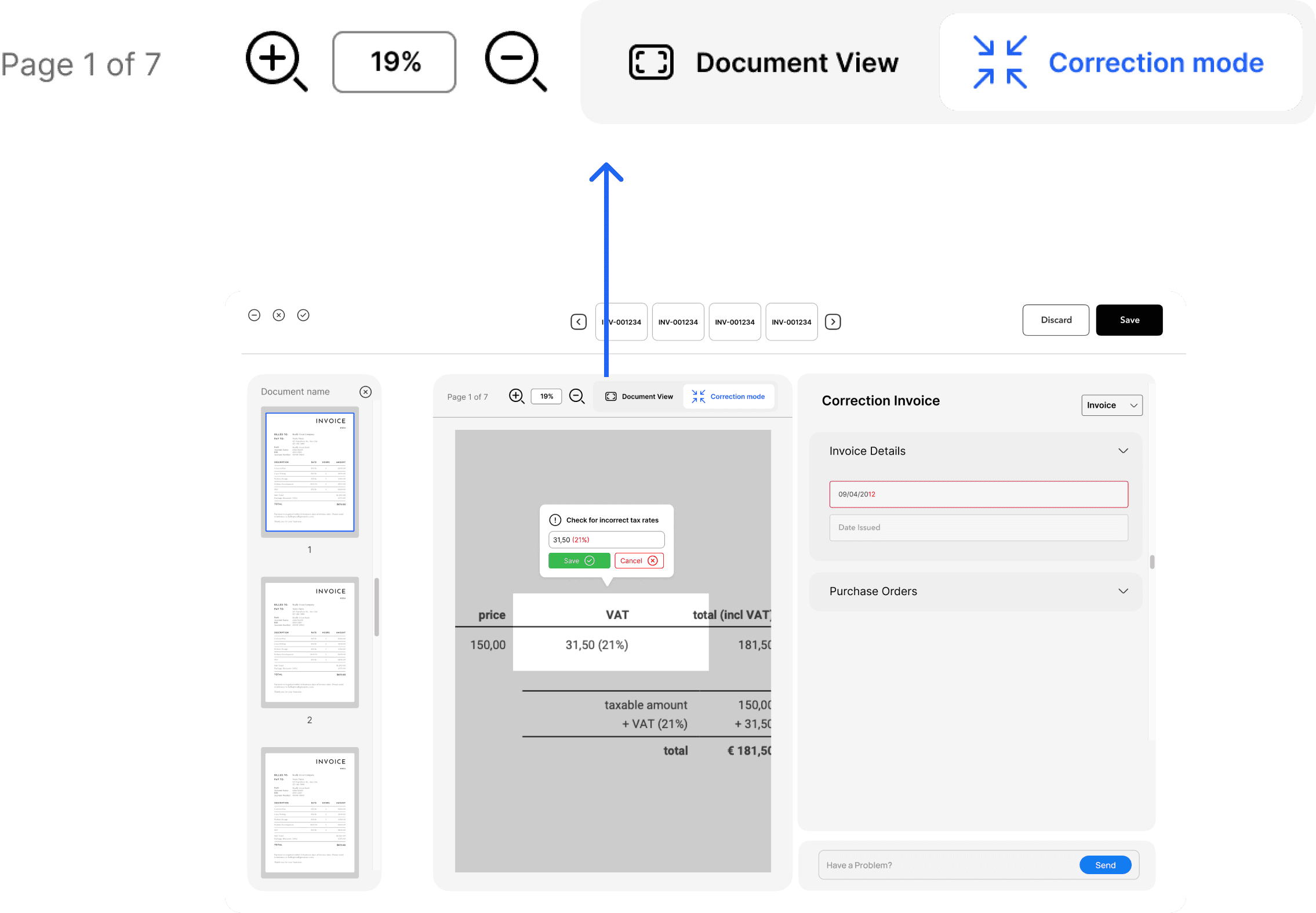
Minimizing the viewport to specific fields eliminates surrounding noise, maximizing operator precision and speed during correction.
I added dedicated view controls (Correction mode and Document view) that allow the operator to instantly zoom in on specific fields. This removes the distraction of the full invoice, enabling highly focused, accurate error-checking.
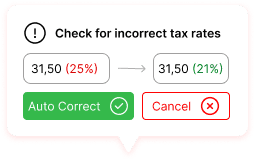
AI Auto-Correct (LLM-Powered)
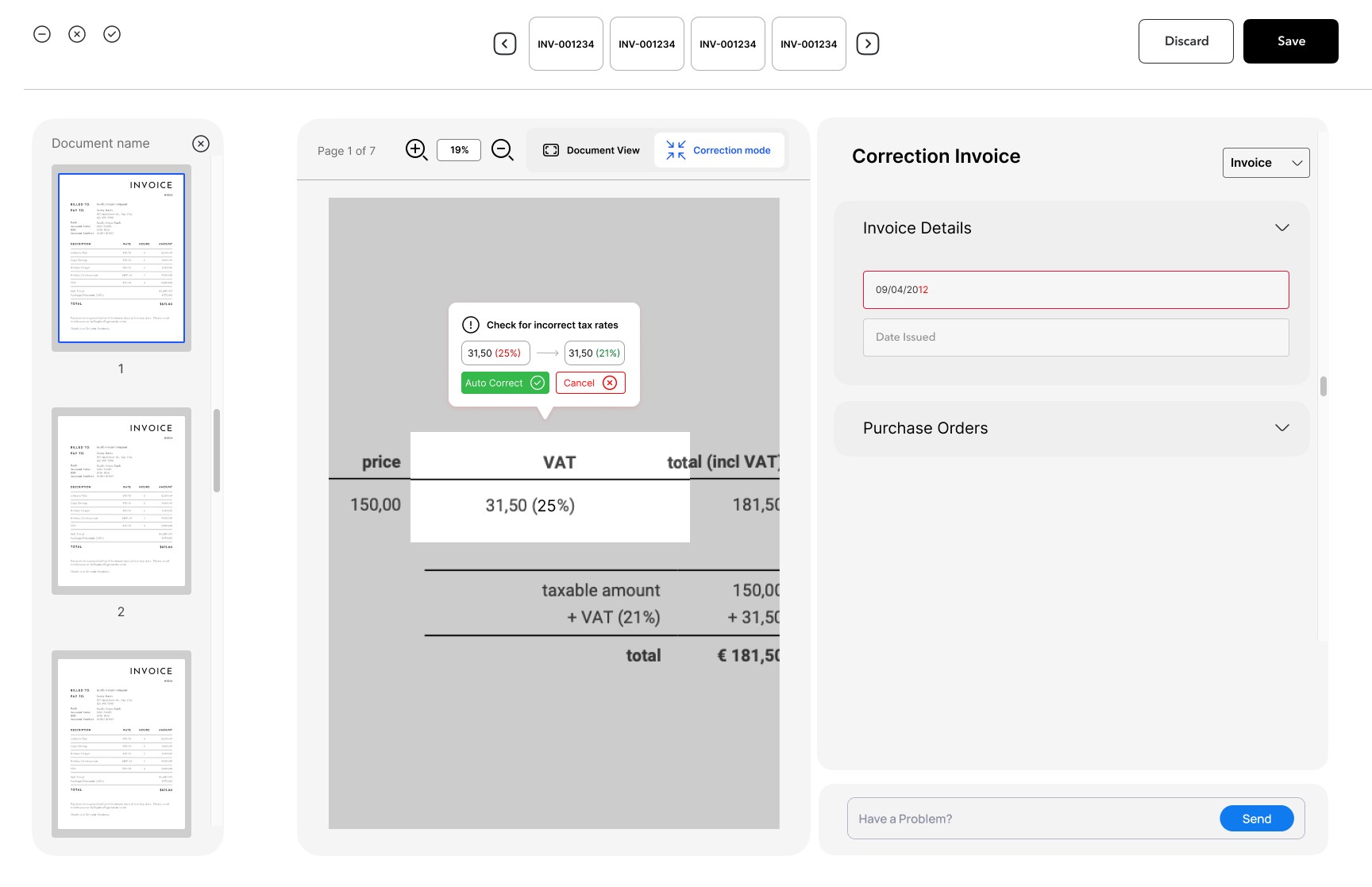
Leverages AI to automatically suggest corrections based on contextual patterns, allowing operators to accept fixes with a single click.
Reserved for the next phase (High Cost/Effort) due to the complexity of integrating and training the LLM model to maintain the required accuracy for financial documents.
Key Performance Indicators (KPIs)
Design success was measured against achieving higher speed and accuracy in the validation workflow.
We focused on three core metrics: Task Completion Time (TCT), Error Rate Reduction, and System Usability Score (SUS) (quantifying friction reduction).
Usability Testing & Evidence
Internal usability testing validated the design's effectiveness, directly supporting the 60% acceleration claim.
The TCT Result showed four out of five internal participants located the critical error in under two minutes. This proves the visual cues successfully eliminated manual hunting.
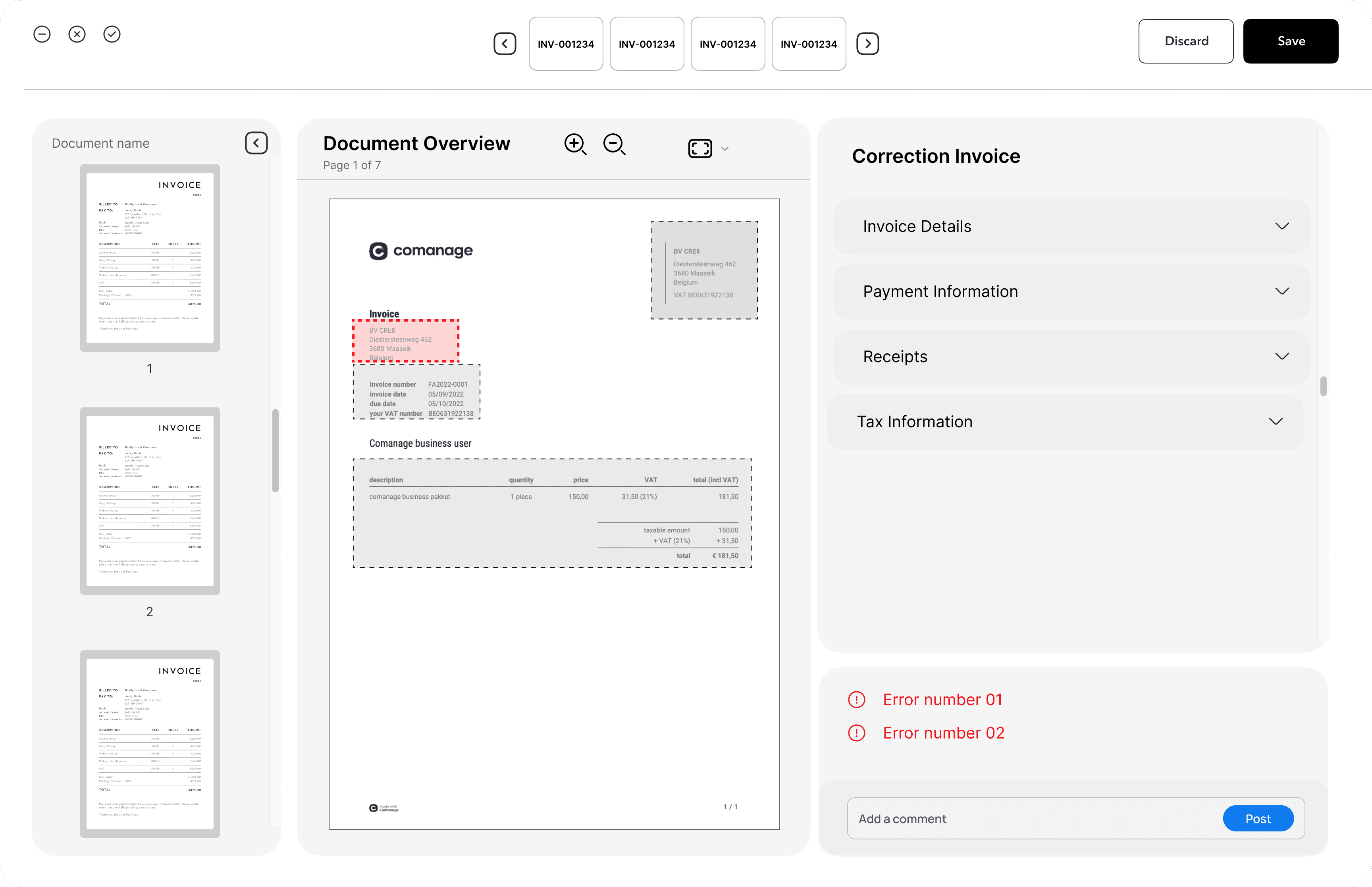
Wireframe after first Iteration
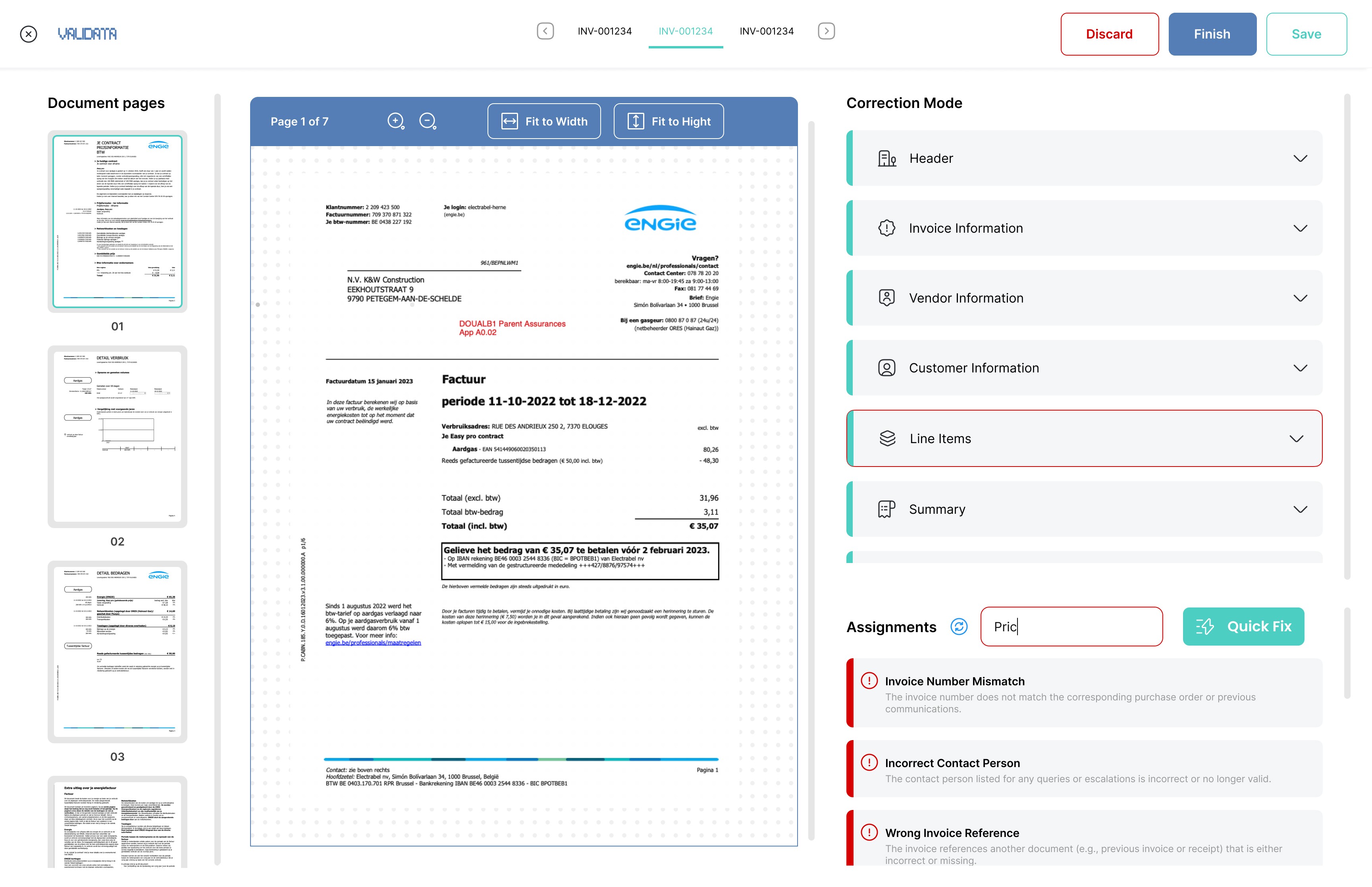
Wireframe after second Iteration
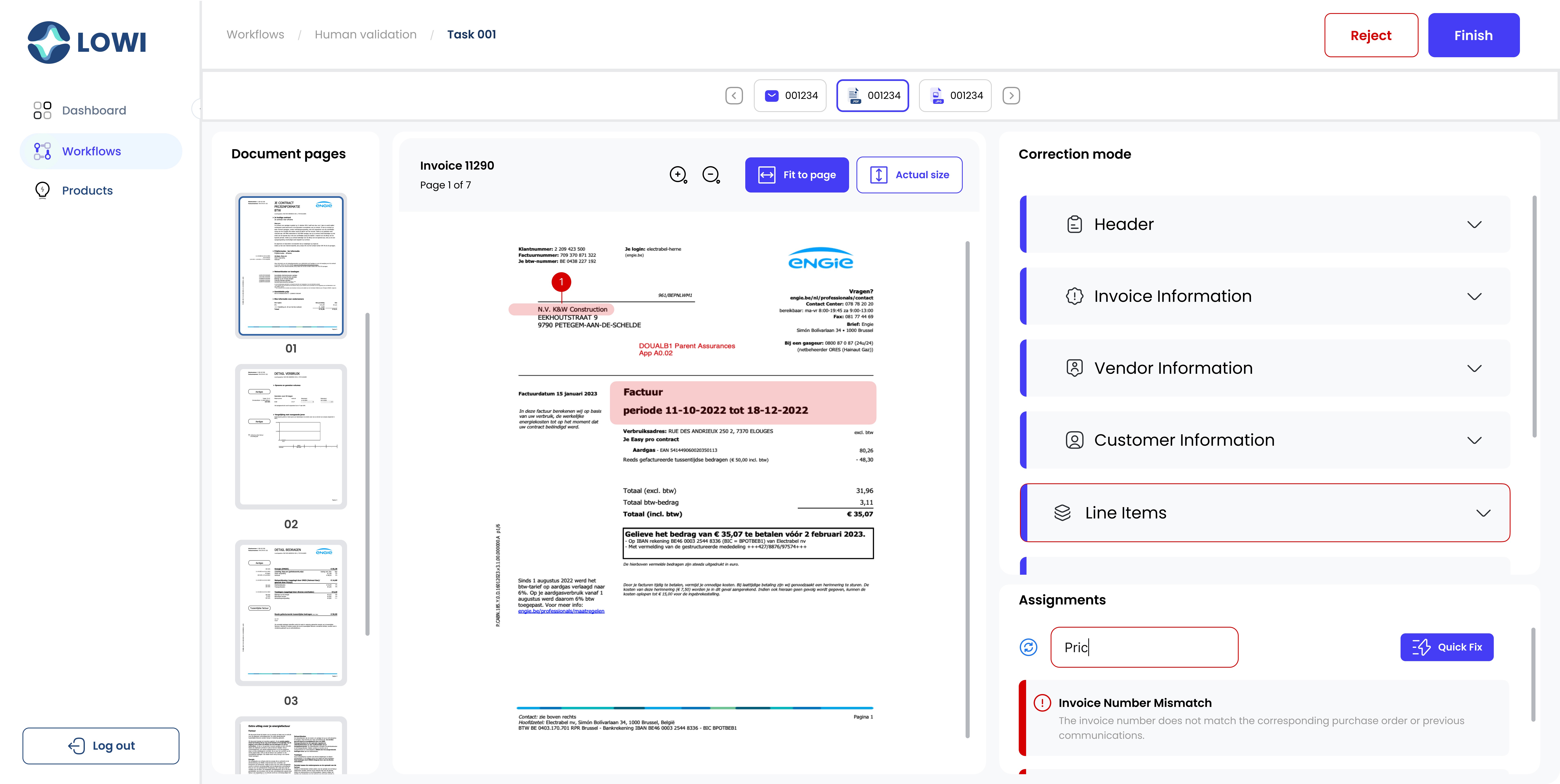
Final Screen
Key Learnings
High-quality, focused internal testing is critical for mitigating launch risk when external user access is constrained.
The TCT data gathered from internal operators provided the necessary evidence to validate the core efficiency hypothesis, preventing a high-friction product from launching prematurely.